Record a tab, a Chrome window or your whole screen — with PC sound and your headphones mic. A 3-2-1 countdown, a timer on the icon, and the video lands in the folder you choose.
Click the icon, pick what to record, and you're live. Simple enough for anyone, sharp enough for tutorials and demos.
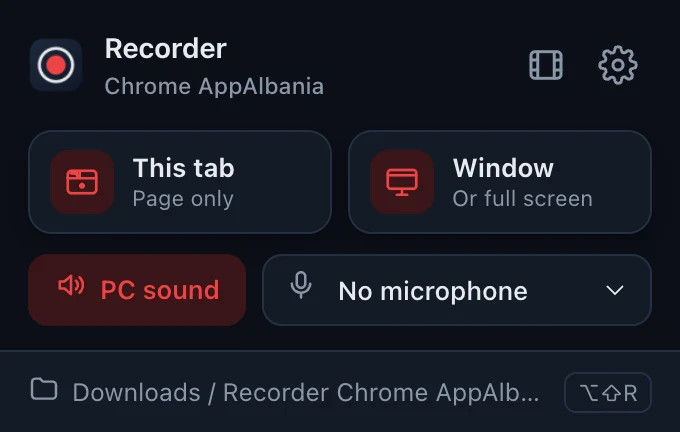
Record just the page — no browser bars — or a whole Chrome window, or your full screen.
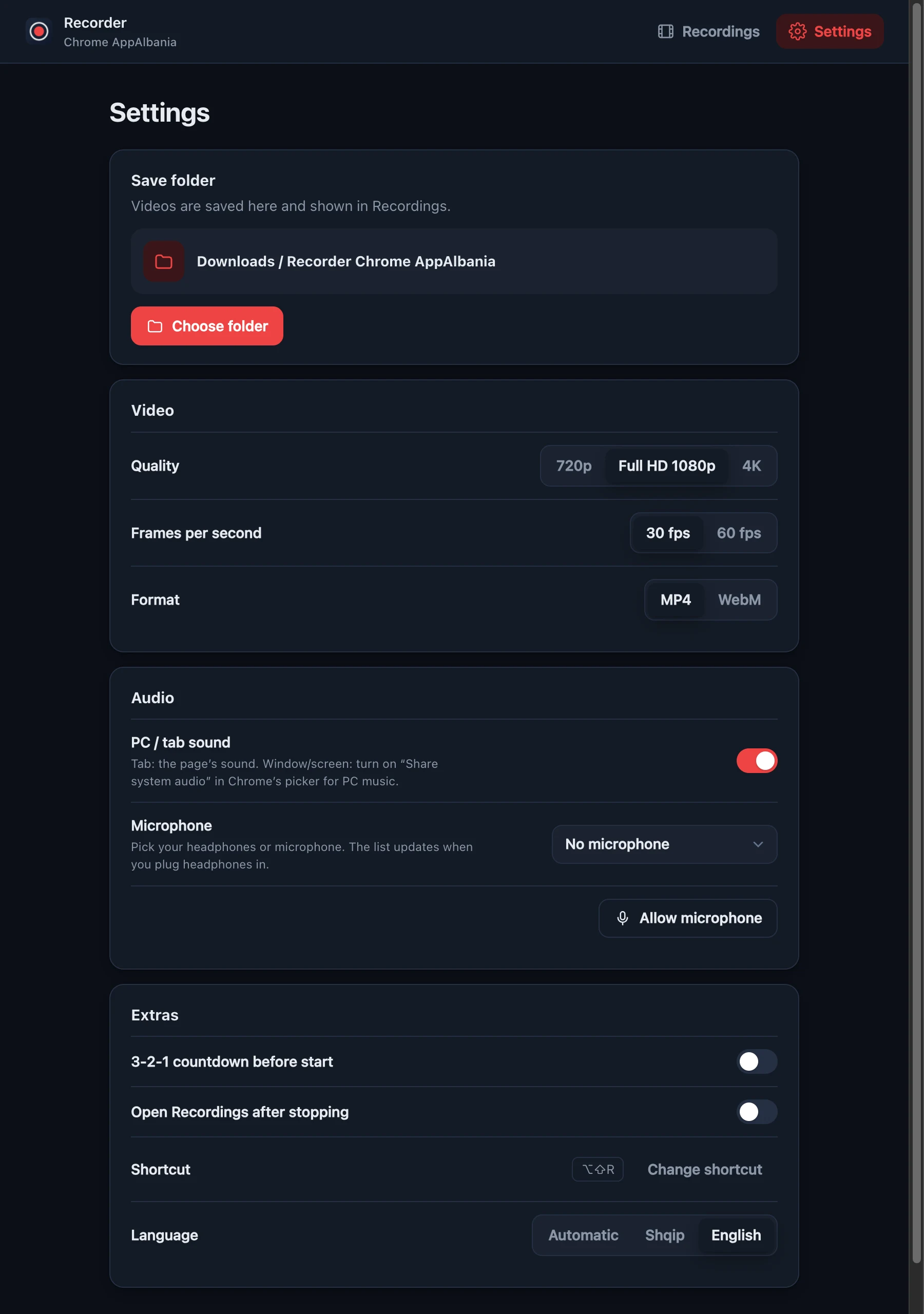
720p, 1080p or 4K at 30 or 60 fps. MP4 (H.264 + AAC) that plays on every phone, PC and editor.
Records the tab's sound, or music from any app when you share your screen with system audio.
No mic, the Mac mic, or your AirPods and headphones — the list updates the moment you plug them in.
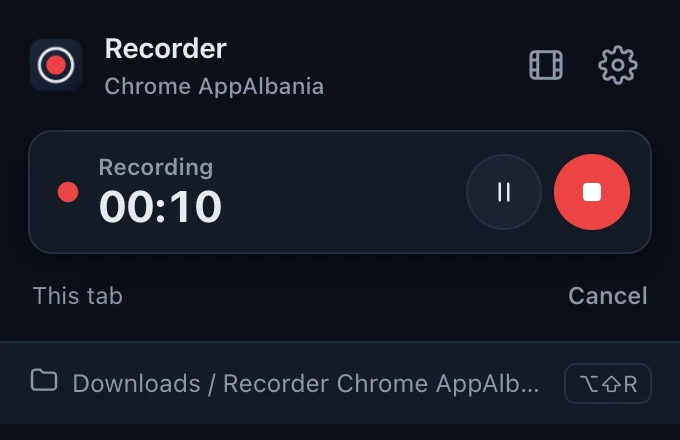
A big countdown in the middle of the page, gone before the first frame. Timer, pause and stop in the menu.
Saves to Downloads by default, or straight into any folder you choose. Long recordings are written to disk as they go.
Perfect for web app tutorials, bug reports and demos.
For anything outside the page — or music from other apps.
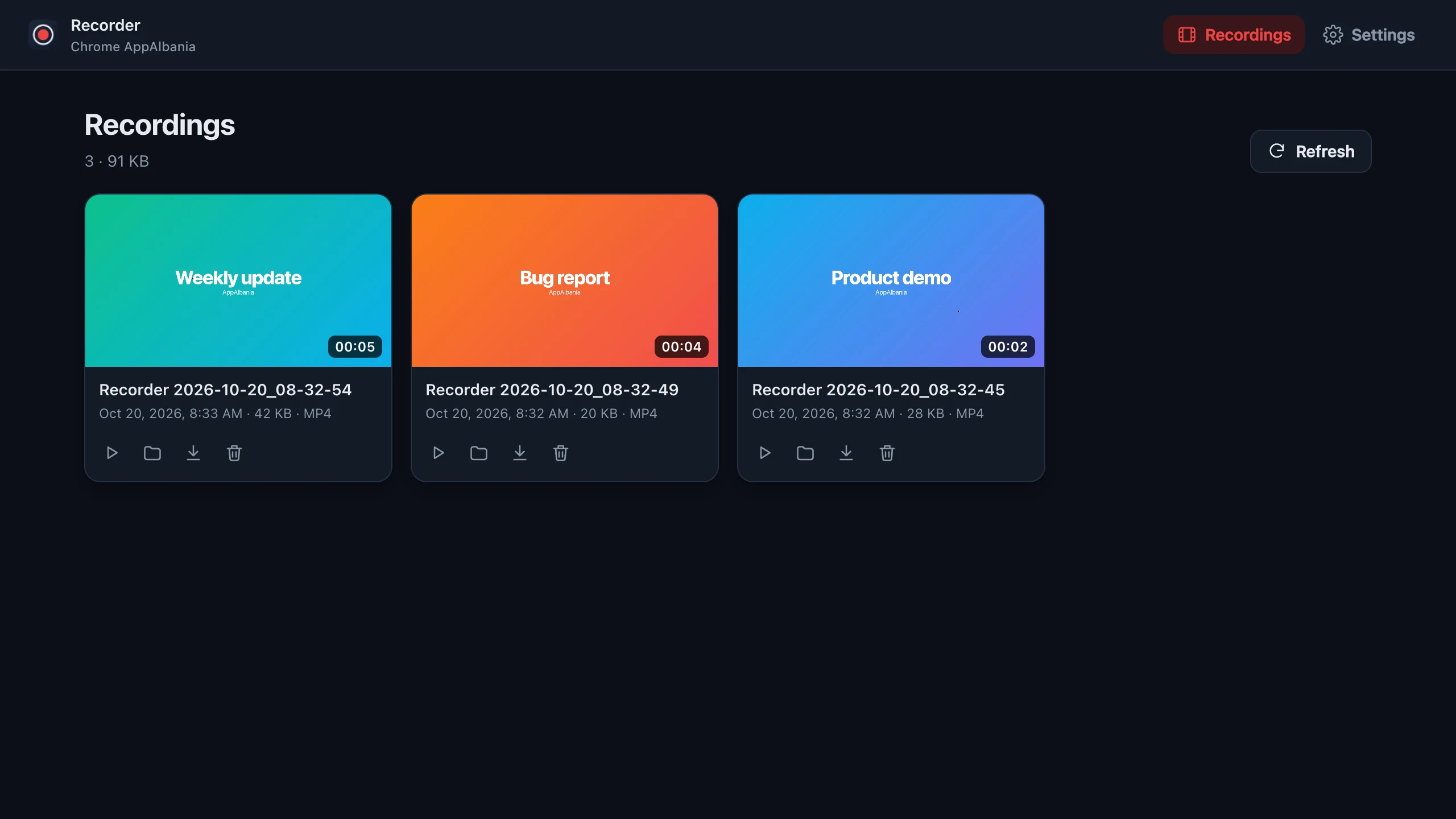
A clean gallery of everything you recorded — with length, size and date.

Everything lives in the small menu under the toolbar icon. No new tabs, no clutter — and the timer shows right on the icon while you record.
Quality, frame rate, format, sound, microphone, countdown, save folder and language — all on one calm page.

Get the zip — free, no account — and unzip it.
Go to chrome://extensions and turn on Developer mode (top right).
Click Load unpacked and choose the unzipped folder.
Pin Recorder to the toolbar, click it and press This tab.
Yes — free, open source, no watermark, no time limit and no account.
No. Recordings are written straight to your computer. There are no servers, no analytics and no tracking.
In Downloads / Recorder Chrome AppAlbania by default. In Settings you can choose any other folder — the Recordings page then shows that folder.
Choose Window / screen, pick your screen and turn on Share system audio in Chrome's picker. On Mac this needs Chrome 141+ and macOS 14.2+; on Windows it works when sharing the whole screen.
Yes. Pick it from the microphone list in the menu. If you unplug it, the recording keeps going with your default mic.
Yes — anywhere Chrome 116 or newer runs, including Edge, Brave and other Chromium browsers.
Free for Chrome 116 and later, on Mac, Windows and Linux.